A price change starts a new print run
When a price changes, the menu needs a redesign, a printer and another payment.
Your menu on every customer's phone. Update prices in seconds.
Got a TV above your counter? Put your menu on it too with VUNO Screens.
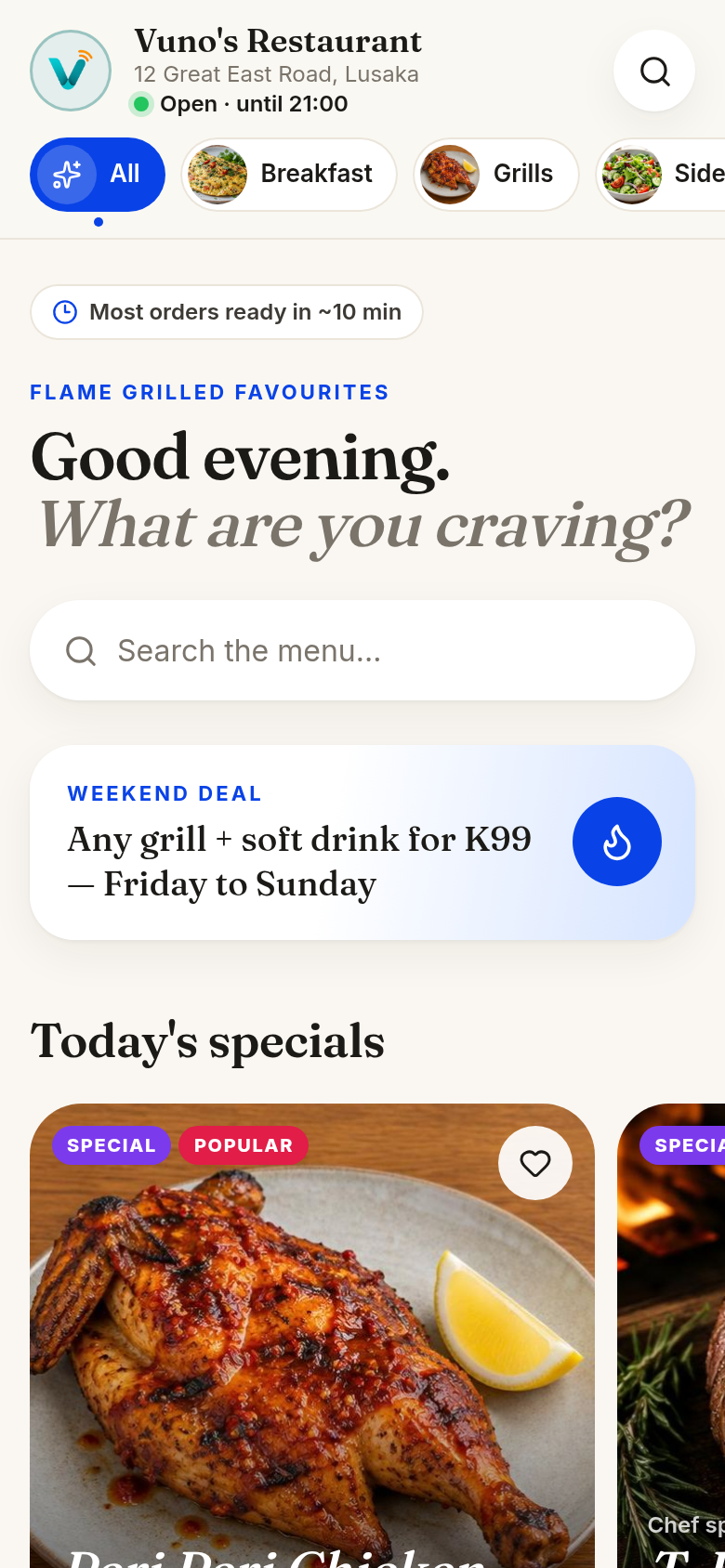
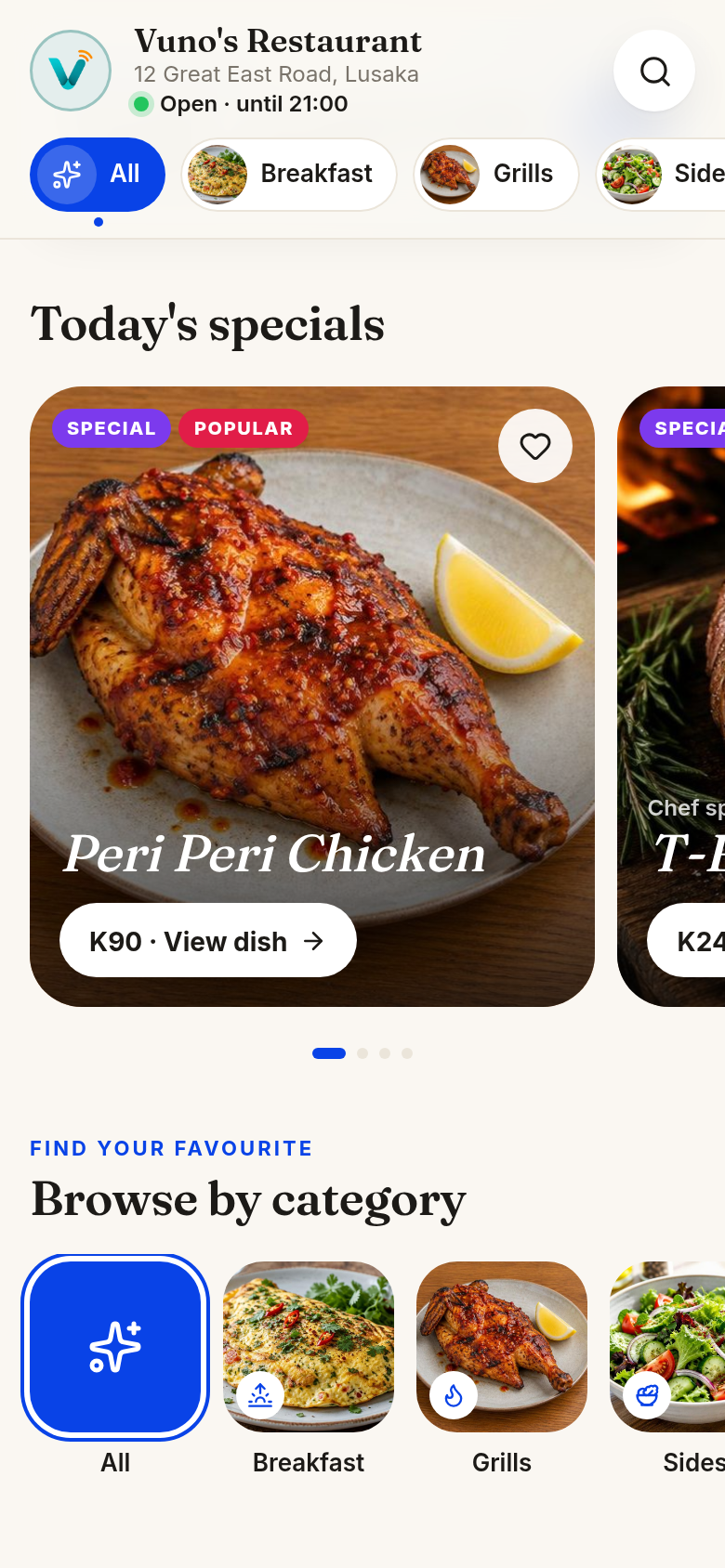
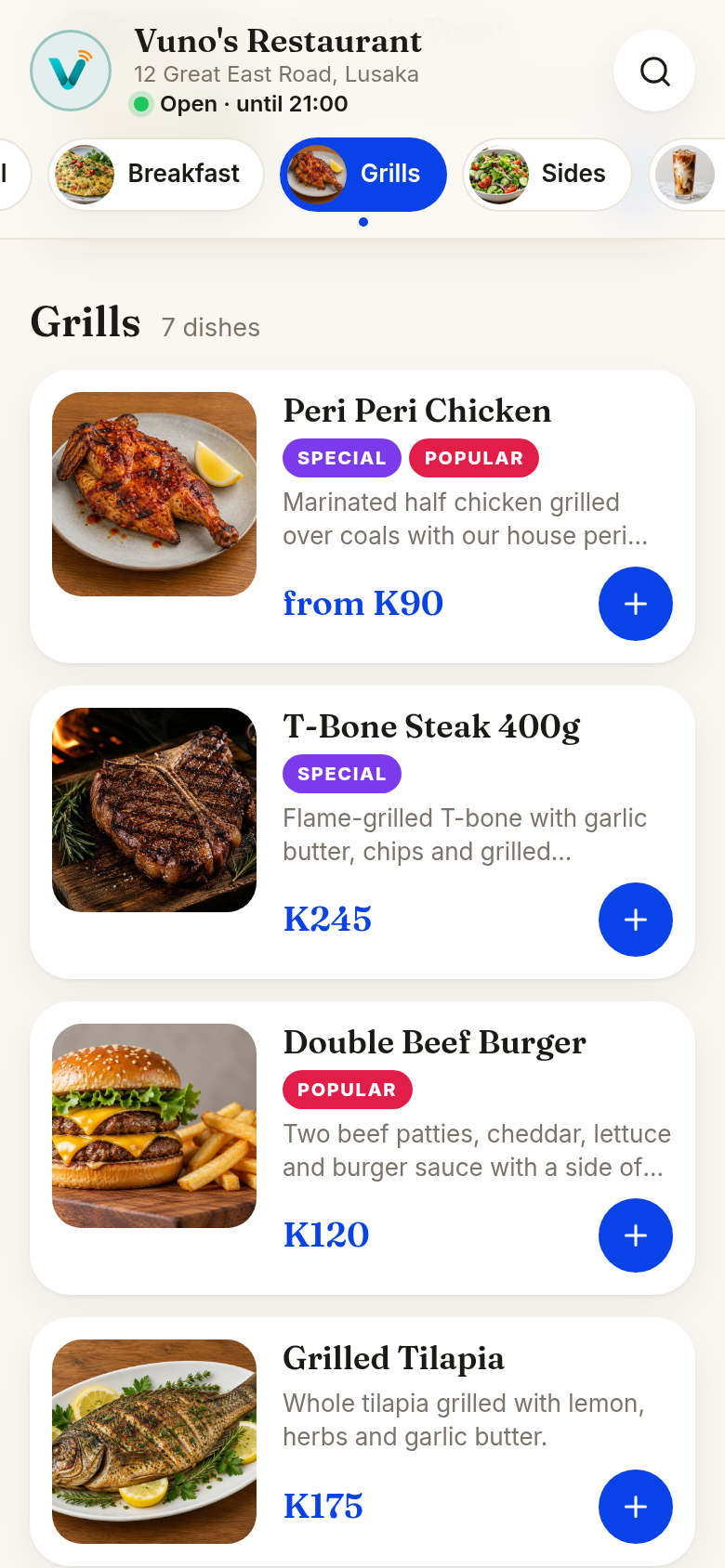
VIDEO 1 · HOW VUNO WORKS
2 minutes. How a QR menu works for your customers, and how you update it yourself from your phone.
Works without Wi-Fi
your screens keep showing your menu
Back on by itself
after a power cut, your menu returns automatically
14 days
free, no setup fees
Same day
to go live
Seconds
to make any change to your menu
The hidden cost
When a price changes, the menu needs a redesign, a printer and another payment.
You wait for the new menus, then replace every old copy so customers see the current prices.
Another price change means doing it all again, often with menus that have no food photos.
VUNO replaces all of that with one menu that updates in seconds.
From paper to phone
You send the menu. We handle the setup. Your customers do the rest.
Send us your existing menu. We build your digital menu for you, live the same day.
Printed QR stands for every table, delivered and set up. Nothing to buy during your trial.
They point their camera. Your menu opens instantly. No app, no account, no download.
Change a price in ten seconds from your phone. Every table sees it immediately.
Plug your VUNO stick into the back of your TV. Your menu appears on the screen and stays in sync with your dashboard.
Try it yourself
Scan with your phone to open a demo menu — exactly what your customers would see. No download, no signup.
SCAN FOR MENU
VUNO Screens
Manage your TV screens and your digital menu from one dashboard.
VIDEO 2 · HOW VUNO SCREENS WORKS
80 seconds. See how your TV stays in sync with your menu, even through power cuts and with no Wi-Fi.
Each branch includes one TV screen with your subscription and trial. Your business's first VUNO stick is free, once per business, during the 14-day trial. It remains the property of VUNO until you subscribe and pay, and becomes yours to keep only then. Every other VUNO stick is K600. Need more TV screens? Up to 3 extra, K150/month each.
VUNO doesn't supply TVs. You use your own TV and plug in your VUNO stick. One stick per TV.
Any TV with an HDMI port works. Extra sticks: K600 per stick.
More than a menu
Your table QR doesn't just open the menu. It opens a home page for your restaurant, where guests can review you, follow you and get online.
Guests tap once and land on your Google review page. Set your link once and it's there on every table.
Guests can also send feedback privately, so you hear about problems while they are still at the table.
Your Facebook, Instagram, TikTok and other pages, one tap to follow.
Show your Wi-Fi name and password, with a button to copy it. Guests don't have to ask staff.
You choose which buttons show. Turn off any you don't want.
Built for busy service
A QR menu with food photos, sizes and prices. No app needed.
Change prices yourself from your phone. No reprinting.
Tap sold out and your menu and TV screens update within a minute.
Show your menu on your own TV. It stays in sync with your dashboard and keeps showing without Wi-Fi.
Run every branch from one master account.
Add a special or weekend deal from your phone.
Why VUNO
| Feature | Printed | PDF/photo | VUNO |
|---|---|---|---|
| Update a price in seconds | No | No | Yes |
| No redesign when a price changes | No | No | Yes |
| Food photos and sizes | Yes | Yes | Yes |
| Customers need no app | Yes | Yes | Yes |
| Works with your TV screens | No | No | Yes |
| One master account for all branches | No | No | Yes |
Printed and PDF menus both have to be redesigned and re-sent every time a price changes.
Simple pricing
14-day free trial. No cost · No setup fees.
Starter
Or K3,300/year — 1 month free (pay for 11 months)
For a single restaurant getting started.
What's included · per branch
Your business's first VUNO stick is free, once per business, during the 14-day trial. It remains the property of VUNO until you subscribe and pay, and becomes yours to keep only then. Every other VUNO stick is K600.
14 days free. No cost · No setup fees.
| Extra branch | K270/month per extra branch |
|---|---|
| Extra TV screen (one more TV) | K150/month per extra TV screen (up to 3 extra) |
| Extra VUNO stick | K600 per stick |
| QR stands | K55 (Acrylic A5) or K35 (Plastic A5) per stand, or download your QR code for free |
VUNO doesn't supply TVs. You use your own TV and plug in your VUNO stick. One stick per TV. Up to 4 TV screens total.
Optional A5 QR stands cost K55 (Acrylic A5) or K35 (Plastic A5) per stand. Or download your QR code for free and print or use your own stands.
Questions, answered
No jargon. No hidden setup. Just a better way to run your menu.
More questions? Chat with us on WhatsApp
Get your VUNO menu live today. Try it free for 14 days. No cost. No setup fees.
WhatsApp us on +260 779 686 657